

Sell on invoice as carefully as you sell at the till
For the customers who buy on invoice: companies, institutions and wholesale buyers. Record the quotation, turn it into an invoice, post it and follow what is still owed on it, with stock and the books updated at every step, and nothing typed twice.
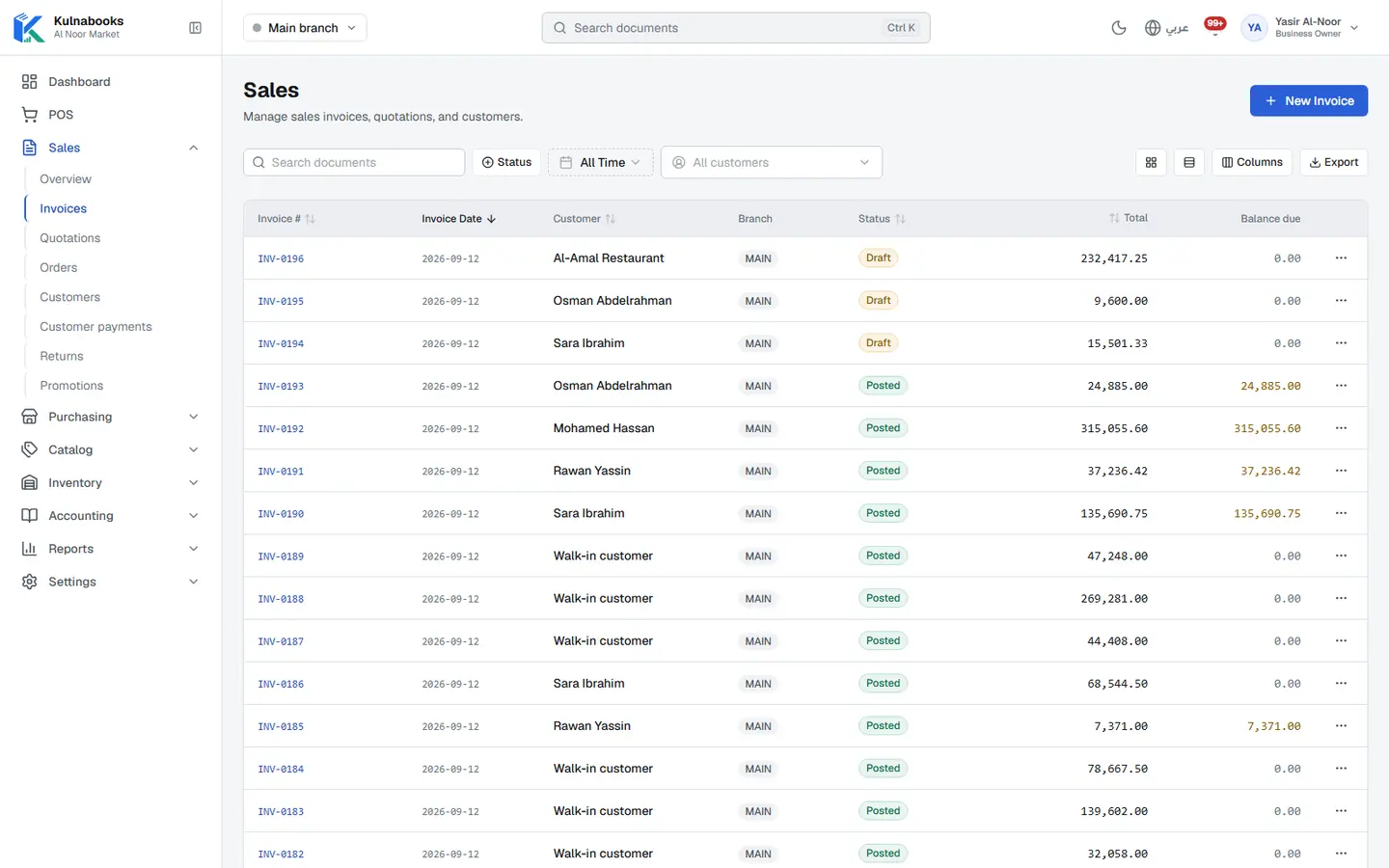
Draft, then post
Save the invoice as a draft and change it as often as you need. Posting it takes the goods out of stock and records the revenue and VAT. Spot a mistake after posting and you can amend it (Kulnabooks reverses the original and opens a corrected draft) or cancel it.
A quotation becomes an invoice
Record a quotation for the customer and mark it sent. When they accept, turn it into a sales invoice with its lines and prices as they were.
Sales orders
Confirm a customer’s order as a sales order, then invoice all of it at once or in parts.
An invoice that proves itself
Every invoice has a PDF with its number, a Code 128 barcode and a QR code. The customer scans it and a page shows whether the invoice is valid or cancelled, straight from your records.
Returns and credit notes
Record a return against the original invoice’s lines, up to what was sold, approve it, and refund in cash or as a credit note on the customer’s account.
Numbered per branch, taxed per product
Invoices and returns are numbered in their own sequence in each branch. VAT is charged at the business’s rate, or at a product’s own rate where you set one.
Send an invoice, a receipt or a payment reminder on WhatsApp in one tap: the message opens ready with the amount and the invoice’s verification link. Kulnabooks does not e-mail invoices yet, and quotations have no PDF yet.
More of the platform
Purchasing & suppliers
Purchase orders, part deliveries and supplier balancesGoods & stock
Every item’s stock in every branch, with barcodes and expiryThe till
Barcodes, receipts and shifts, in a browser or on WindowsCash & bank transfer payments
Each transfer with its reference, and the drawer counted at shift closeOffers & coupons
Automatic or coded discounts, with dates and limitsCustomers & credit
A credit limit for each customer, and a PDF statementCounter hardware
Thermal printer, barcode scanner and cash drawerAccounts
Entries that post themselves from every sale and purchaseReports & numbers
The owner’s dashboard, and reports you filter and exportBranches & team
Each branch its own figures, each person their own permissions
Open your shop in Kulnabooks
Sign up, name your business and your first store, and start adding products.