

From ordering the goods to paying the supplier, on one document
In Kulnabooks the purchase order and the supplier’s bill are one document: you order on it, receive against it, and posting it records what you owe. A shop does not need two pieces of paper for one delivery, or to match them up.
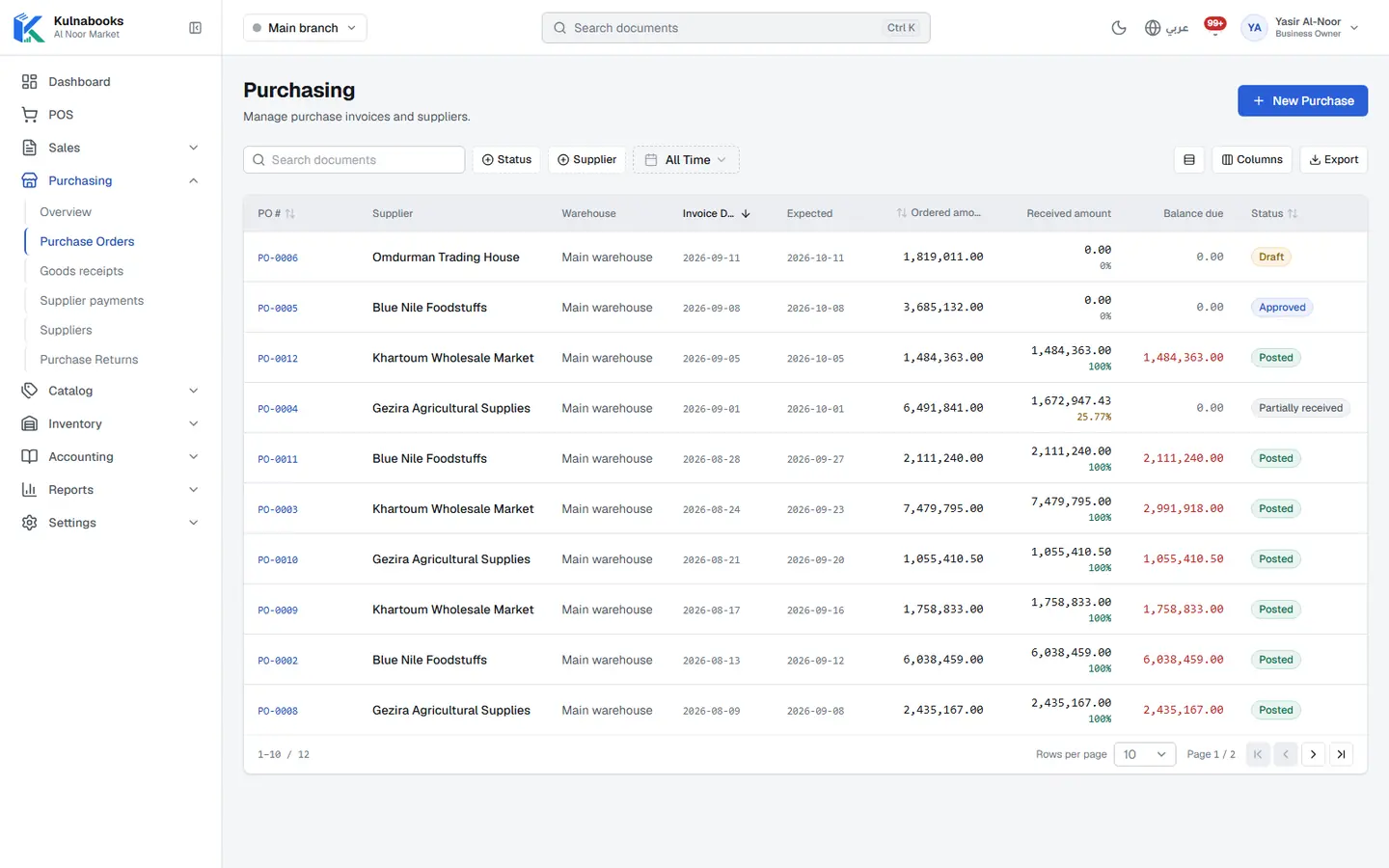
An order with clear stages
Draft, then approved, then partly or fully received, then posted. Keep the supplier’s own invoice number on it so you can find it at review time.
Receive all of it, or part
Record what actually arrived into the warehouse that received it; what is short stays outstanding on the order until it comes. Stock goes up with every receipt.
What you owe the supplier
Posting the order records the amount on the supplier’s account. Record your payments to them and allocate them to their open orders.
Purchase returns
Send back faulty or surplus goods for a debit note or a replacement, once the return is approved.
A statement for every supplier
Opening balance, every order, payment and return, and the balance now. The payables aging report shows what is due and what is late, and the purchase summary shows what you bought.
Buying in another currency
Record a purchase order in the supplier’s currency at an exchange rate, and Kulnabooks converts it into yours in the books.
Kulnabooks does not raise purchase orders automatically from low stock, and does not spread freight and clearing costs across the cost of the goods.
More of the platform
Goods & stock
Every item’s stock in every branch, with barcodes and expiryThe till
Barcodes, receipts and shifts, in a browser or on WindowsCash & bank transfer payments
Each transfer with its reference, and the drawer counted at shift closeOffers & coupons
Automatic or coded discounts, with dates and limitsInvoices & quotes
PDF invoices with a QR code, and quotes that become invoicesCustomers & credit
A credit limit for each customer, and a PDF statementCounter hardware
Thermal printer, barcode scanner and cash drawerAccounts
Entries that post themselves from every sale and purchaseReports & numbers
The owner’s dashboard, and reports you filter and exportBranches & team
Each branch its own figures, each person their own permissions
Open your shop in Kulnabooks
Sign up, name your business and your first store, and start adding products.