

Know where every pound went
The Kulnabooks till records every payment by how it was made, and every bank transfer with its reference, so the end-of-day count knows what is in the drawer and what came in by transfer.
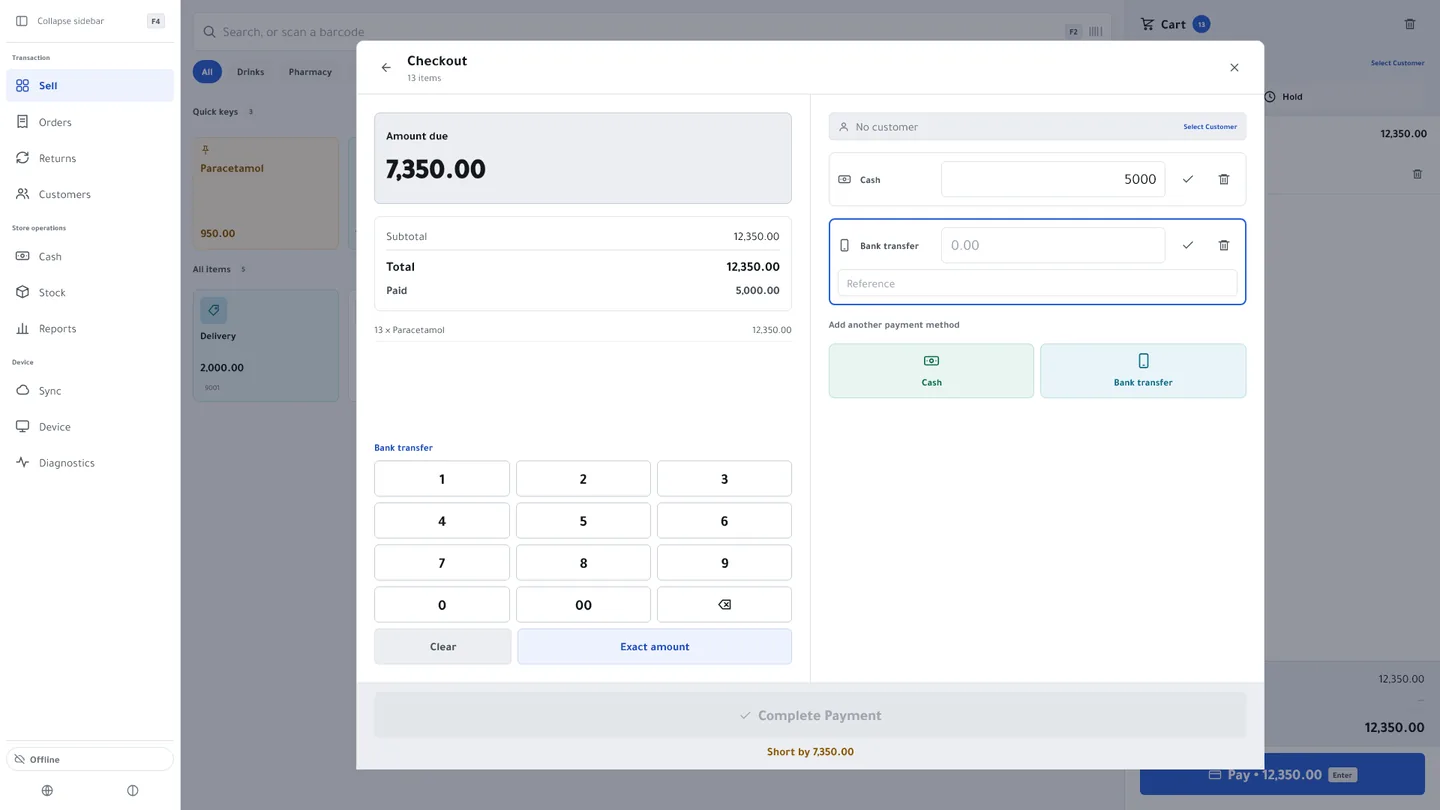
The transfer reference, with the payment
The cashier types the transfer’s reference next to the amount, so you find it at review time instead of searching through phone messages.
Your bank account, in front of the customer
Show your bank account details to the customer on the payment screen, and print them on the receipt of a sale paid by transfer, for the accounts you choose to show.
Change, worked out
For cash the till works out the change, and the Windows app opens the cash drawer as the receipt prints.
On account
Put the amount on the customer’s account within their credit limit, and it shows on their statement and in the aging report.
A drawer you can account for
Open the shift with a float, record cash put in and taken out, and close on a blind count. Kulnabooks records any difference and tells the people who look after the branch’s accounts.
Kulnabooks does not connect to card payment terminals, and it does not take the money itself: the transfer happens in the bank’s app and the cashier records it. In the books, every non-cash payment posts to a single bank account.
And on the receipt
The total and how it was paid, and a QR code the customer scans to check the receipt against your records.
More of the platform
Purchasing & suppliers
Purchase orders, part deliveries and supplier balancesGoods & stock
Every item’s stock in every branch, with barcodes and expiryThe till
Barcodes, receipts and shifts, in a browser or on WindowsOffers & coupons
Automatic or coded discounts, with dates and limitsInvoices & quotes
PDF invoices with a QR code, and quotes that become invoicesCustomers & credit
A credit limit for each customer, and a PDF statementCounter hardware
Thermal printer, barcode scanner and cash drawerAccounts
Entries that post themselves from every sale and purchaseReports & numbers
The owner’s dashboard, and reports you filter and exportBranches & team
Each branch its own figures, each person their own permissions
Open your shop in Kulnabooks
Sign up, name your business and your first store, and start adding products.